
Invoicing Software to Manage Invoices and Payments
If you are still tracking invoices in spreadsheets, you already know how messy it gets. You send an invoice. Then you check emails. Then you check your bank account. Then you follow up again. This is exactly why most businesses switch to invoicing software. It keeps everything in one place and removes the back and forth.
Why Manual Tracking Does Not Work
Manual systems break as soon as work increases.
You forget to follow up
Payments get missed or delayed
Data is spread across files and emails
You spend extra time checking status
Even small mistakes can affect cash flow.
What Good Invoicing Software Should Do
A reliable invoicing software should simplify your process, not complicate it.
Look for these features:
Create and send invoices quickly
Track paid and unpaid invoices clearly
Send automatic reminders
Accept online payments
Keep client and payment history organized
If a tool cannot handle these, it will not help your workflow.
Popular Tools People Use
Here are some common options based on real user feedback and usage:
Wave for freelancers who want a free and simple setup
Zoho Invoice for small businesses that need more features
FreshBooks for service-based work with time tracking
QuickBooks for businesses that want accounting and invoicing together
Each tool fits a different type of workflow.
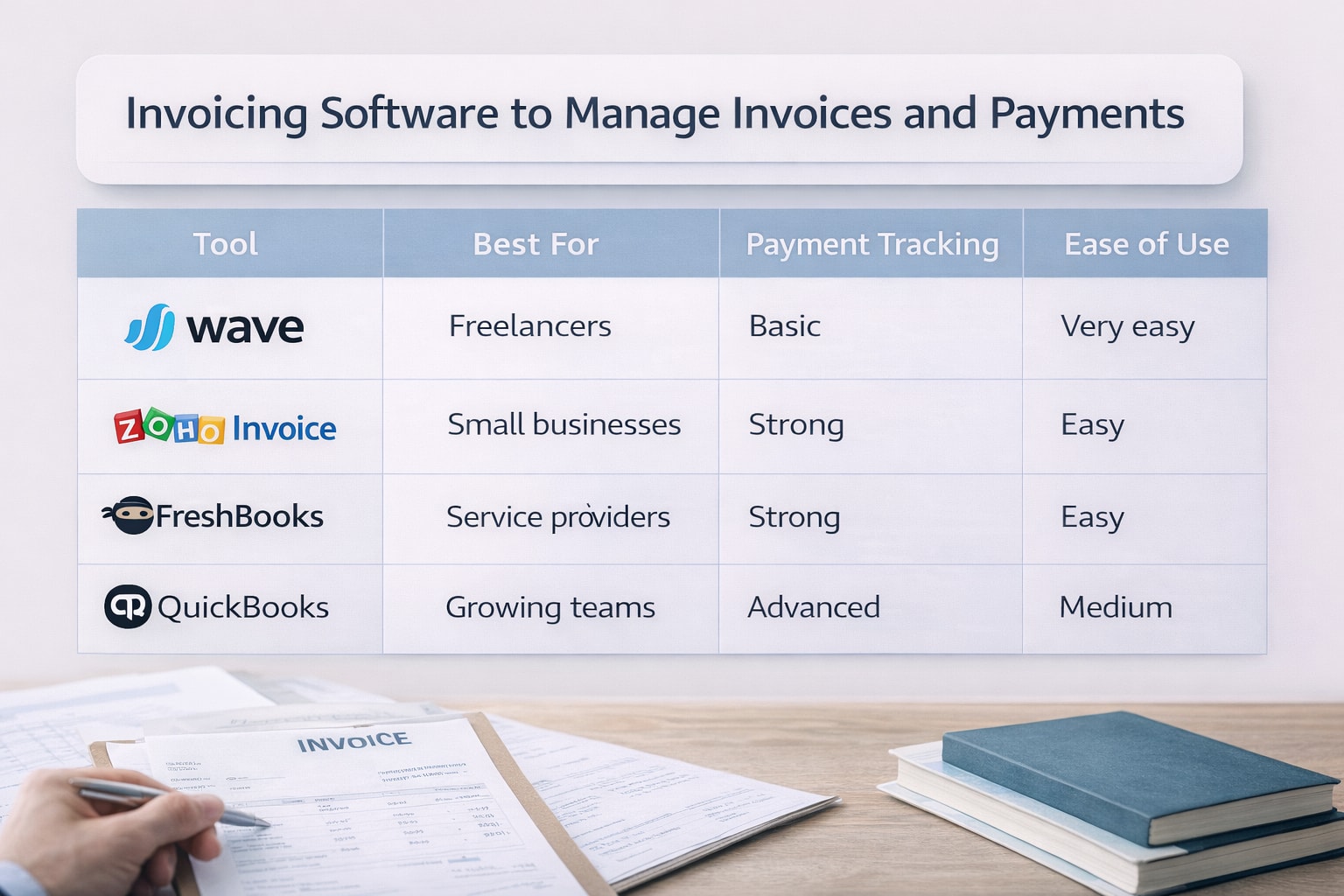
Quick Comparison Table
Tool | Best For | Payment Tracking | Ease of Use |
|---|---|---|---|
Wave | Freelancers | Basic | Very easy |
Zoho Invoice | Small businesses | Strong | Easy |
FreshBooks | Service providers | Strong | Easy |
QuickBooks | Growing teams | Advanced | Medium |
How to Choose the Right Setup
Do not just pick what others use. Focus on your daily work. Ask yourself:
How many invoices do I send each month
Do I need recurring billing
Do I want automatic reminders
Do I need reports or just basic tracking
The right invoicing software should match your workflow without extra steps.
Common Mistakes to Avoid
Using spreadsheets for too long
Choosing tools with too many features early
Ignoring payment integrations
Not checking how reminders work
Most people switch tools because they picked based on features, not usage.
What Users Say Online
From Reddit and Quora discussions:
Many freelancers start with free tools like Wave
Small businesses prefer Zoho Invoice for balance
Complaints usually focus on tools that feel slow or limited
Automation and reminders are the most requested features
The pattern is clear. People want less manual work.
Frequently Asked Questions
What is the easiest way to track invoices and payments?
Using invoicing software is the easiest way. It keeps all invoices, payments, and reminders in one place.
Is invoicing software better than spreadsheets?
Yes. Spreadsheets require manual updates. Invoicing tools track everything automatically.
Can I use free invoicing software for payments?
Yes. Many tools allow online payments. Transaction fees may apply depending on the payment method.
What do small businesses prefer?
Most small businesses prefer simple tools with automation. Zoho Invoice and FreshBooks are commonly mentioned.
How do I know when to switch tools?
If you spend too much time tracking payments or sending reminders, it is time to switch.
Related Posts
Would You Pay for Invoicing Software That Improves Workflow
Would you pay for invoicing software that fits your workflow? Learn when it is worth paying, what features matter, and how to choose the right tool.
Best Free Invoicing Software For Small Businesses 2026
Find the best free invoicing software for freelancers and small businesses. Compare features, limits, and tools to manage invoices, payments, and clients.