
Would You Pay for Invoicing Software That Improves Workflow
Most people start with free tools. It works at first. Then things get messy. You spend more time fixing invoices than sending them. Payments are hard to track. Clients ask for updates you cannot find quickly. This is where the question comes in. Would you pay for invoicing software that actually helps your workflow?
For many businesses, the answer becomes yes once the work starts growing.
Why Free Tools Stop Working After a Point
Free invoicing software is fine in the beginning. But it often misses things that matter daily.
No proper automation
Limited reporting
Manual follow-ups
Weak integrations
At a small scale, you adjust. As work grows, these issues slow everything down.
What Good Invoicing Software Should Fix
If you are paying, it should remove friction. Not add more features you never use.
Look for invoicing software that helps you:
Create invoices in seconds
Track payments without checking multiple places
Send automatic reminders
Handle recurring billing easily
Keep all client data in one place
If it saves even 30 minutes a day, it pays for itself.
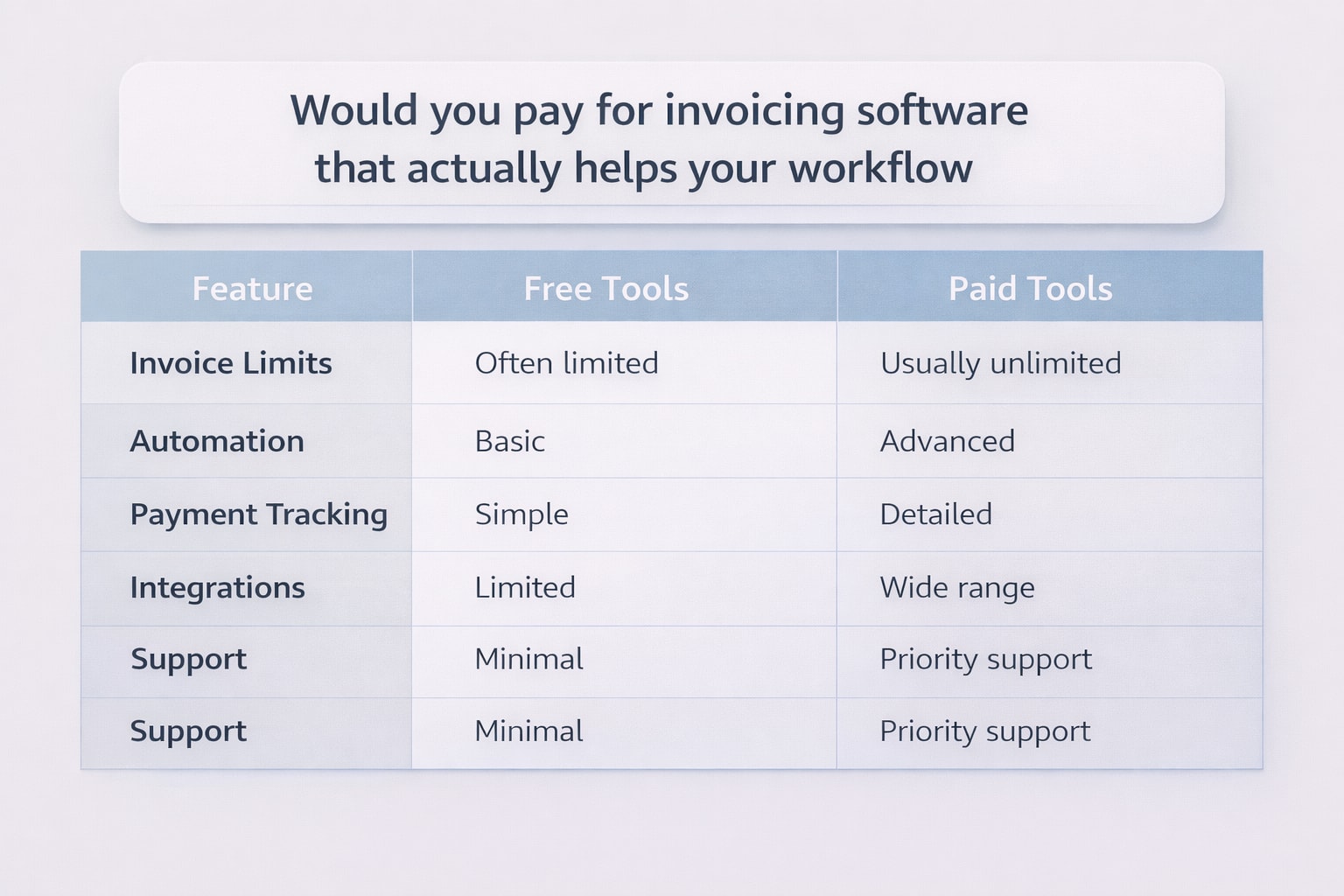
Free vs Paid Invoicing Software
Feature | Free Tools | Paid Tools |
|---|---|---|
Invoice Limits | Often limited | Usually unlimited |
Automation | Basic | Advanced |
Payment Tracking | Simple | Detailed |
Integrations | Limited | Wide range |
Support | Minimal | Priority support |
The difference is not just features. It is how smoothly the tool fits into your work.
When It Makes Sense to Pay
You should consider paid invoicing software if:
You send invoices daily or weekly
You manage multiple clients or projects
You deal with recurring billing
You want fewer manual tasks
You need clear financial tracking
If invoicing feels like extra work, your current setup is already costing you time.
Real Workflow Example
A freelancer using free invoicing software might:
Create invoices manually
Send reminders manually
Track payments in spreadsheets
After switching to a paid tool:
Invoices are created from templates
Reminders go out automatically
Payment status updates in real time
The work does not change. The effort does.
Common Mistakes to Avoid
Paying for features you will never use
Choosing tools that look good but are slow
Ignoring how the tool fits your workflow
Not testing before committing
The best invoicing software is the one you do not have to think about.
Frequently Asked Questions
Is paid invoicing software worth it?
Yes, if it saves time and reduces manual work. Many users say the time saved is more valuable than the cost.
What do users on Reddit say about invoicing tools?
Most users suggest starting free, then upgrading once manual work increases. Many prefer tools that automate reminders and tracking.
How much should I pay for invoicing software?
Most tools range from $10 to $30 per month. The right choice depends on how often you invoice and your workflow needs.
Can invoicing software improve productivity?
Yes. It reduces manual tasks like tracking payments and sending follow-ups.
What features matter the most?
Automation, payment tracking, and ease of use are the top factors mentioned across forums and user reviews.
Related Posts
Invoicing Software to Manage Invoices and Payments
What do you use to manage invoices and track payments? Compare tools, features, and simple ways to stay organized with the right invoicing software.
Best Free Invoicing Software For Small Businesses 2026
Find the best free invoicing software for freelancers and small businesses. Compare features, limits, and tools to manage invoices, payments, and clients.