
Invoicing Software For Web Design Freelancer
As a web design freelancer, your work is creative. Your billing should not feel complicated.
You deal with project-based work, partial payments, revisions, and sometimes long timelines. If your invoicing is not clear, payments get delayed. This is where invoicing software helps. It keeps your billing simple and organized without extra effort.
Why Web Designers Need Better Invoicing
Web design projects are not like fixed hourly jobs. They often include:
Upfront deposits
Milestone payments
Final balance after delivery
Managing this manually can get confusing.
With invoicing software, you can handle all of this in one place.
What to Look for in Invoicing Software
Not every tool fits a web design workflow. Look for features that match how you work.
Create invoices with deposits and milestones
Track partial and full payments
Add project details clearly
Send reminders automatically
Accept online payments easily
If a tool cannot handle partial payments, it will not work well for web design projects.
Best Tools for Web Design Freelancers
1. Wave
Free to use
Simple invoice setup
Good for beginners. Best for freelancers starting out
2. Zoho Invoice
Fully free with strong features
Time tracking and automation
Client portal included. Best for freelancers managing multiple clients
3. FreshBooks
Clean interface
Time tracking linked to billing
Easy expense tracking. Best for service-based freelancers
4. Invoice Ninja
Custom invoice templates
Supports deposits and partial payments
Flexible workflow. Best for freelancers who want more control
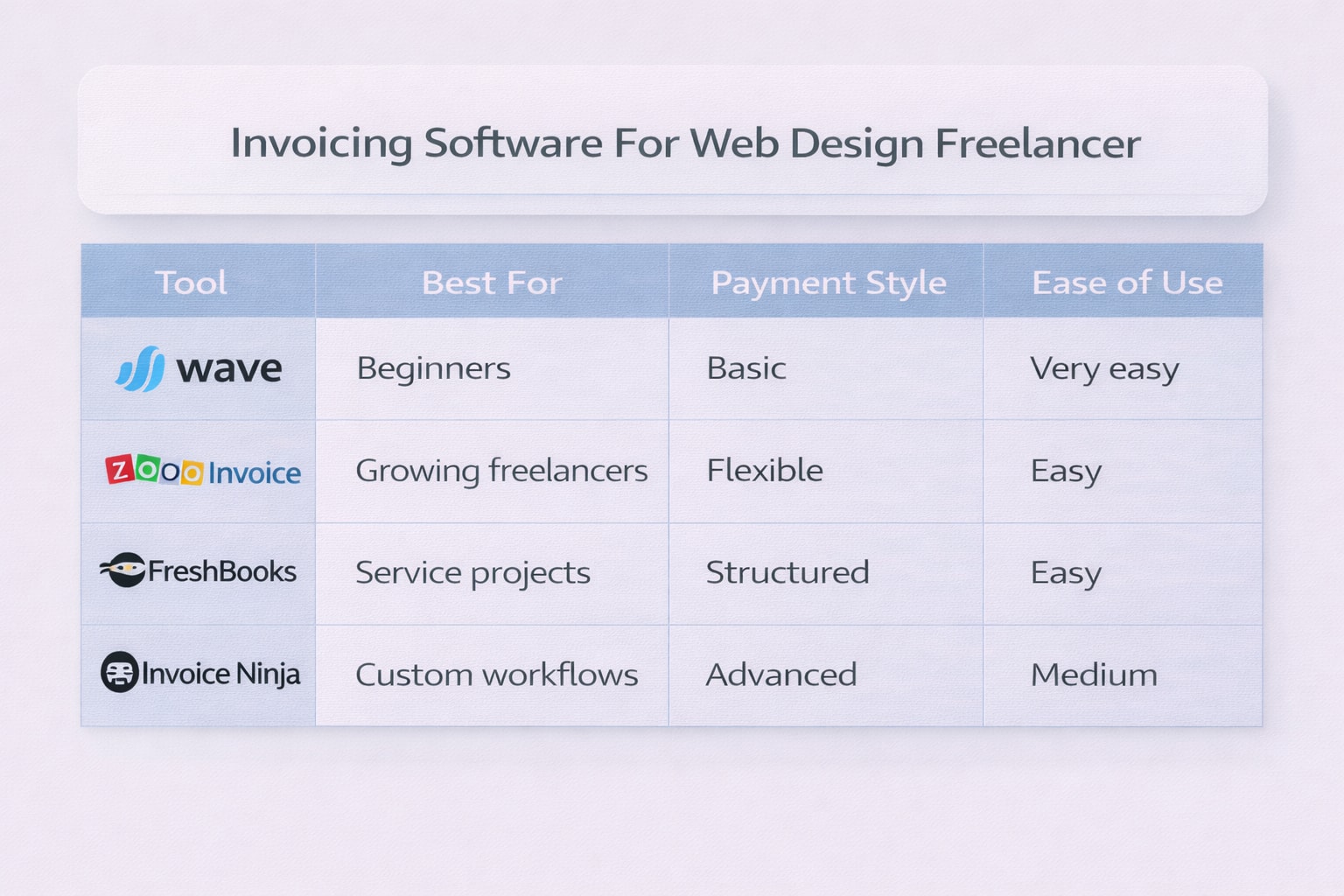
Quick Comparison Table
Tool | Best For | Payment Style | Ease of Use |
|---|---|---|---|
Wave | Beginners | Basic | Very easy |
Zoho Invoice | Growing freelancers | Flexible | Easy |
FreshBooks | Service projects | Structured | Easy |
Invoice Ninja | Custom workflows | Advanced | Medium |
How to Set Up Your Invoicing Workflow
A simple setup works best for most web designers.
Step 1: Send a deposit invoice before starting
Step 2: Create milestone invoices during the project
Step 3: Send final invoice after approval
Step 4: Use reminders to follow up. This keeps payments clear and avoids confusion.
Common Mistakes Freelancers Make
Sending one full invoice instead of splitting payments
Not defining payment terms clearly
Forgetting to track pending payments
Using tools that do not support their workflow. Most payment issues come from unclear billing, not from clients.
What Freelancers Say Online
From Reddit and Quora discussions:
Many web designers prefer tools that support milestone billing
Free tools work in the beginning but upgrades happen later
Automation and reminders are seen as must-have features
Simple dashboards are preferred over complex tools. The focus is always on saving time and avoiding follow-ups.
Frequently Asked Questions
What is the best invoicing software for web design freelancers?
Zoho Invoice and FreshBooks are popular choices. They support structured billing and client management.
Can invoicing software handle partial payments?
Yes. Many tools allow deposits and milestone payments, which are common in web design projects.
Is free invoicing software enough for freelancers?
Yes, if your workflow is simple. As projects grow, paid tools may offer better automation.
How do I manage project-based billing?
Break payments into stages like deposit, milestones, and final payment. Most invoicing tools support this setup.
What do freelancers recommend online?
Freelancers suggest using tools that support partial payments and reminders. Simplicity and clarity are the main priorities.
Related Posts
Would You Pay for Invoicing Software That Improves Workflow
Would you pay for invoicing software that fits your workflow? Learn when it is worth paying, what features matter, and how to choose the right tool.
Invoicing Software to Manage Invoices and Payments
What do you use to manage invoices and track payments? Compare tools, features, and simple ways to stay organized with the right invoicing software.