
Would You Pay For Invoicing Software That Is Actually Simple
Would you pay for invoicing software that is actually simple? Many businesses are asking this because most tools feel harder than they should be.
Instead of saving time, they add more steps.
That is why simple invoicing software is becoming more valuable than feature heavy tools.
Why Simplicity Matters in Invoicing
Invoicing should be quick and clear. But many tools make it complicated.
Here is what businesses usually face:
Too many settings before sending an invoice
Confusing dashboards
Hard to track payments
Extra steps for small tasks
This is where simple invoicing software stands out. It removes friction and helps teams focus on getting paid.
What Businesses Actually Want
From real discussions on Reddit and Quora, most users want:
Fast invoice creation
Clear payment tracking
Easy client management
Integration with basic tools
No learning curve
People are willing to pay for invoicing software if it saves time daily.
Key Features That Make Invoicing Software Worth Paying For
Must Have Features
One click invoice creation
Simple client database
Automatic payment reminders
Integration with payment gateways
Basic reporting
The goal is not more features. The goal is less effort.
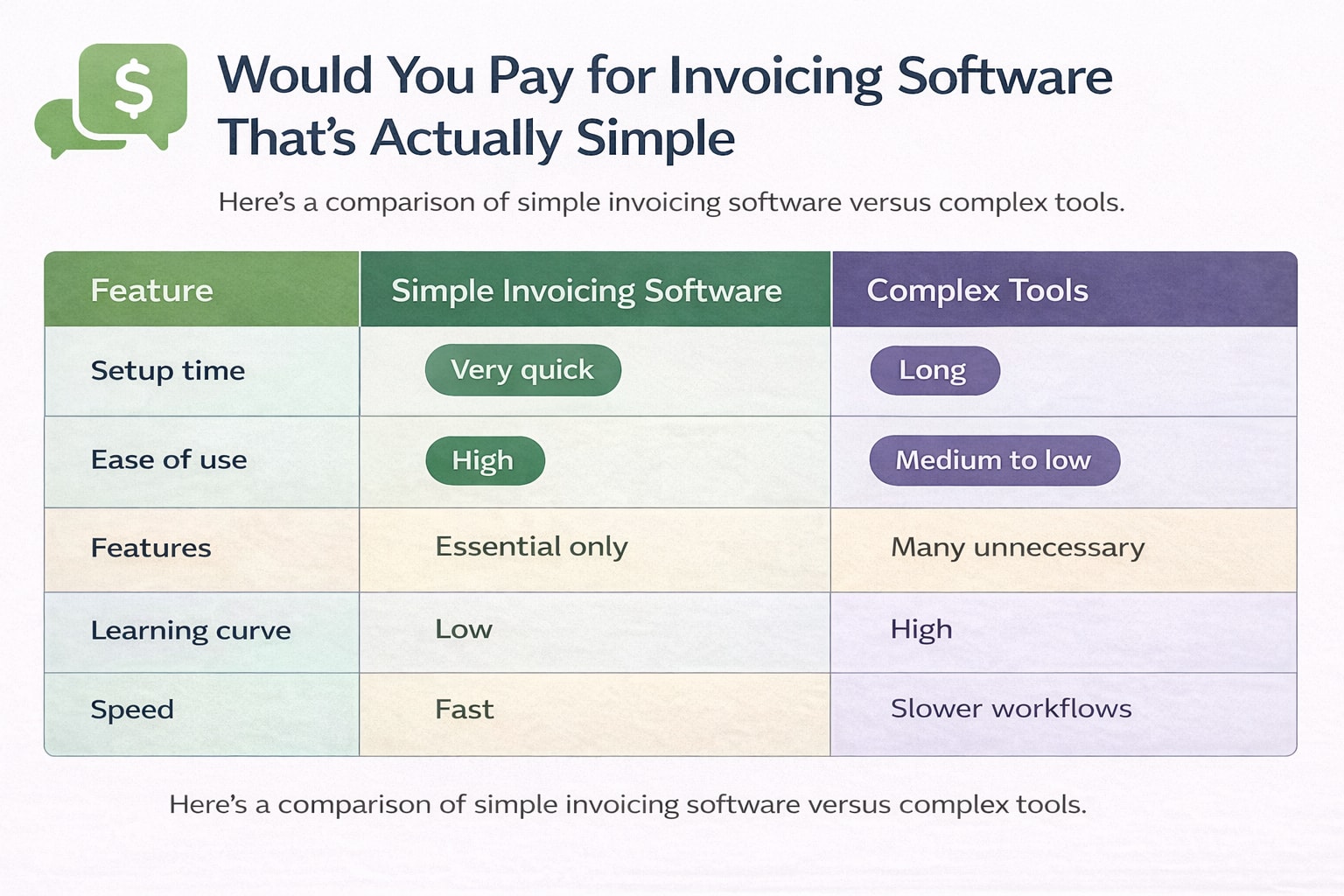
Simple vs Complex Invoicing Tools
Feature | Simple Invoicing Software | Complex Tools |
|---|---|---|
Setup time | Very quick | Long |
Ease of use | High | Medium to low |
Features | Essential only | Many unnecessary |
Learning curve | Low | High |
Speed | Fast | Slower workflows |
Most small and mid size businesses prefer simple invoicing software because it fits their daily work.
When Paying for Invoicing Software Makes Sense
Not every business needs a paid tool. But in many cases, it helps.
You should consider paying if:
You send invoices regularly
You manage multiple clients
You need payment tracking
You want fewer manual errors
If invoicing is part of your daily work, paid invoicing software saves time and avoids mistakes.
Common Mistakes to Avoid
1. Choosing Based on Features
More features do not mean better results.
2. Ignoring User Experience
If it is hard to use, your team will avoid it.
3. Not Testing Before Buying
Always try a demo or trial.
4. Overpaying for Unused Tools
Pay only for what you need.
How to Choose the Right Invoicing Software
Use this simple approach:
Identify your invoicing needs
Shortlist 2 to 3 tools
Test ease of use
Check payment integrations
Review reporting features
Keep it simple. The right tool should feel natural, not forced.
Frequently Asked Question
Is invoicing software worth paying for?
Yes, if it saves time and reduces manual work, it becomes worth the cost.
What is the best invoicing software for small businesses?
The best option is one that is easy to use and matches your workflow without extra steps.
Can free invoicing tools work?
Yes, but they often lack automation and integrations.
Does invoicing software help with cash flow?
Yes, faster invoicing and reminders help businesses get paid on time.
Related Posts
Would You Pay for Invoicing Software That Improves Workflow
Would you pay for invoicing software that fits your workflow? Learn when it is worth paying, what features matter, and how to choose the right tool.
Invoicing Software to Manage Invoices and Payments
What do you use to manage invoices and track payments? Compare tools, features, and simple ways to stay organized with the right invoicing software.